Forgot My Login Account
If you forgot your password, we have two way for recover your account password by receiving OTP code that we will separate as "Before Login" and "After Login" by the following step :
After Login
NOTE: Make sure all the data and requirement already fill and upload, clear and detail.
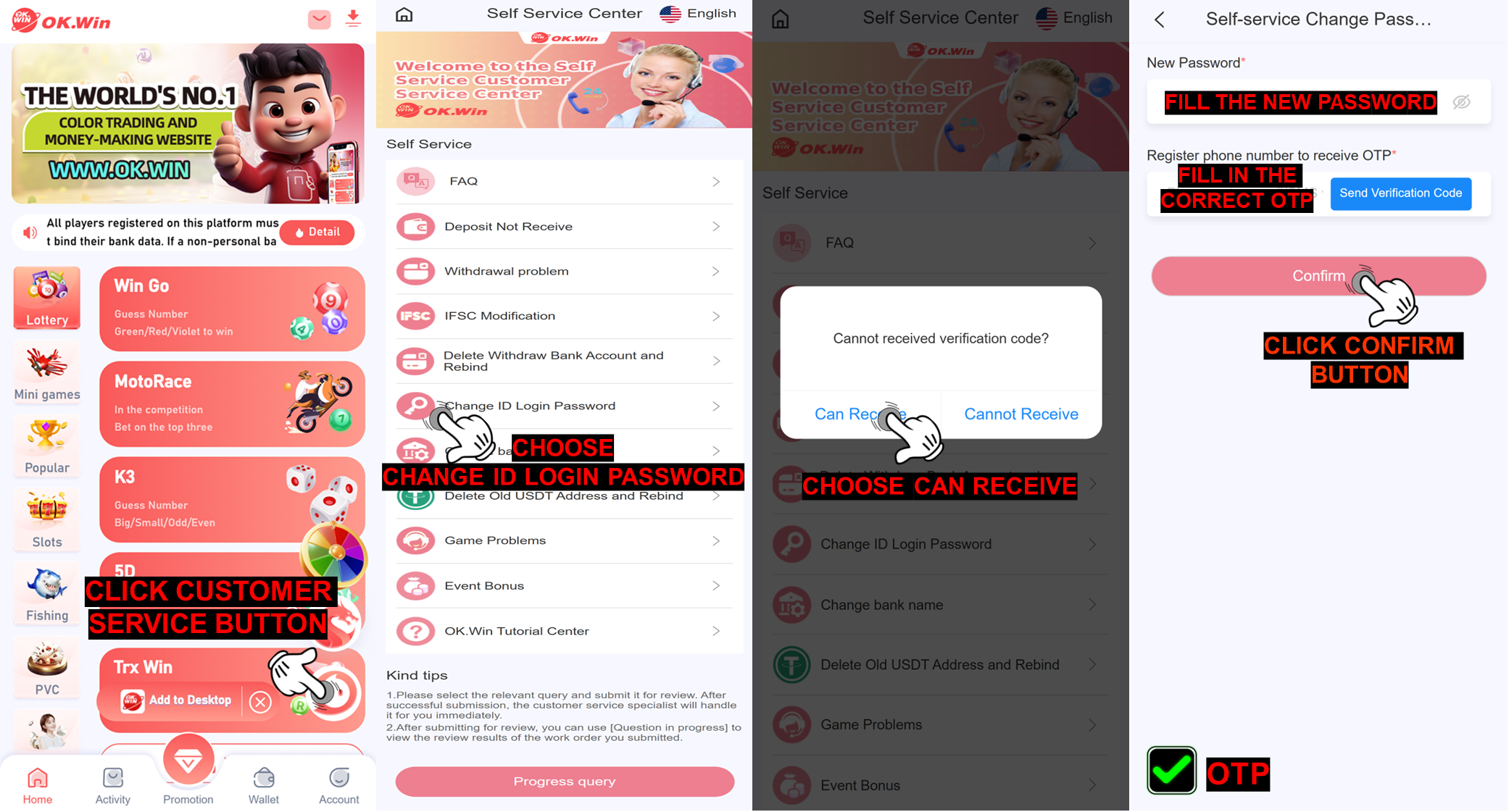
NOTE: Make sure all the data and requirement already fill and upload, clear and detail.
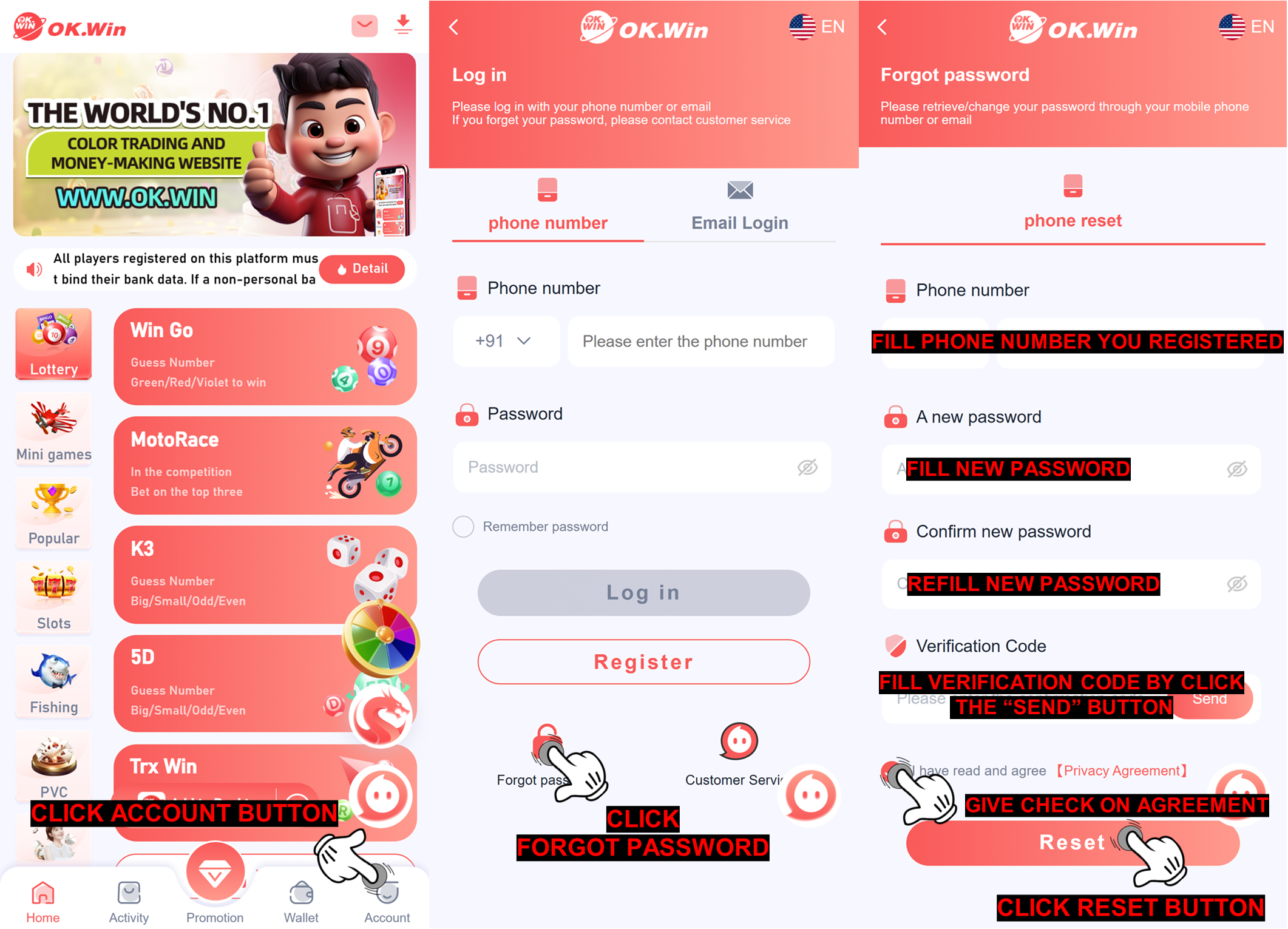
If you cannot reset your password with the step above, you need to submit on the customer service self-service center and submit all requirement to "Change ID login password" and there will have two method of how to submit in this issue that we will divide as "Before Login" and "After Login" by the following step by step below :
After Login
NOTE: Make sure all the data and requirement already fill and upload, clear and detail.
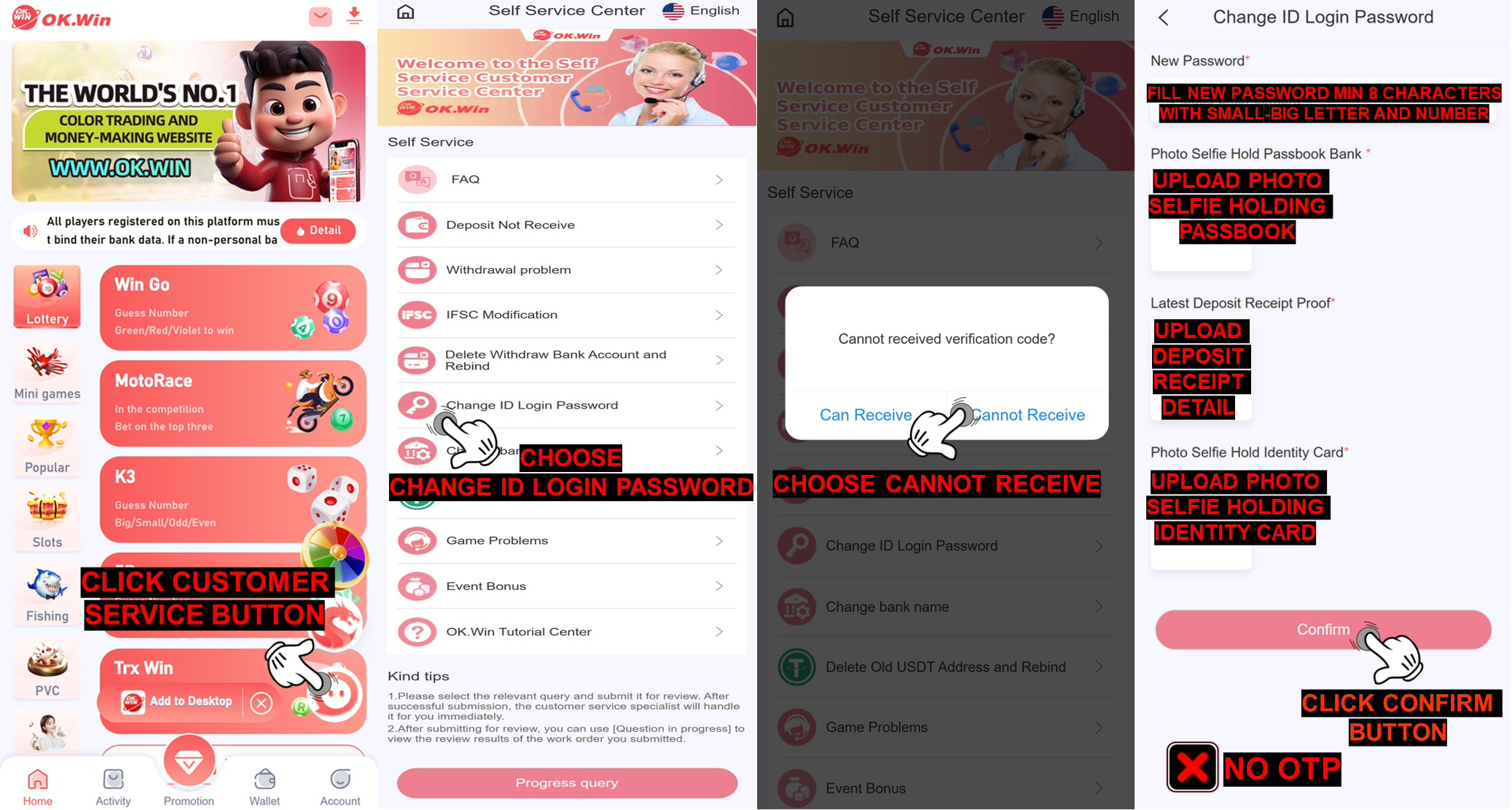
Before Login
NOTE: Make sure all the data and requirement already fill and upload, clear and detail.
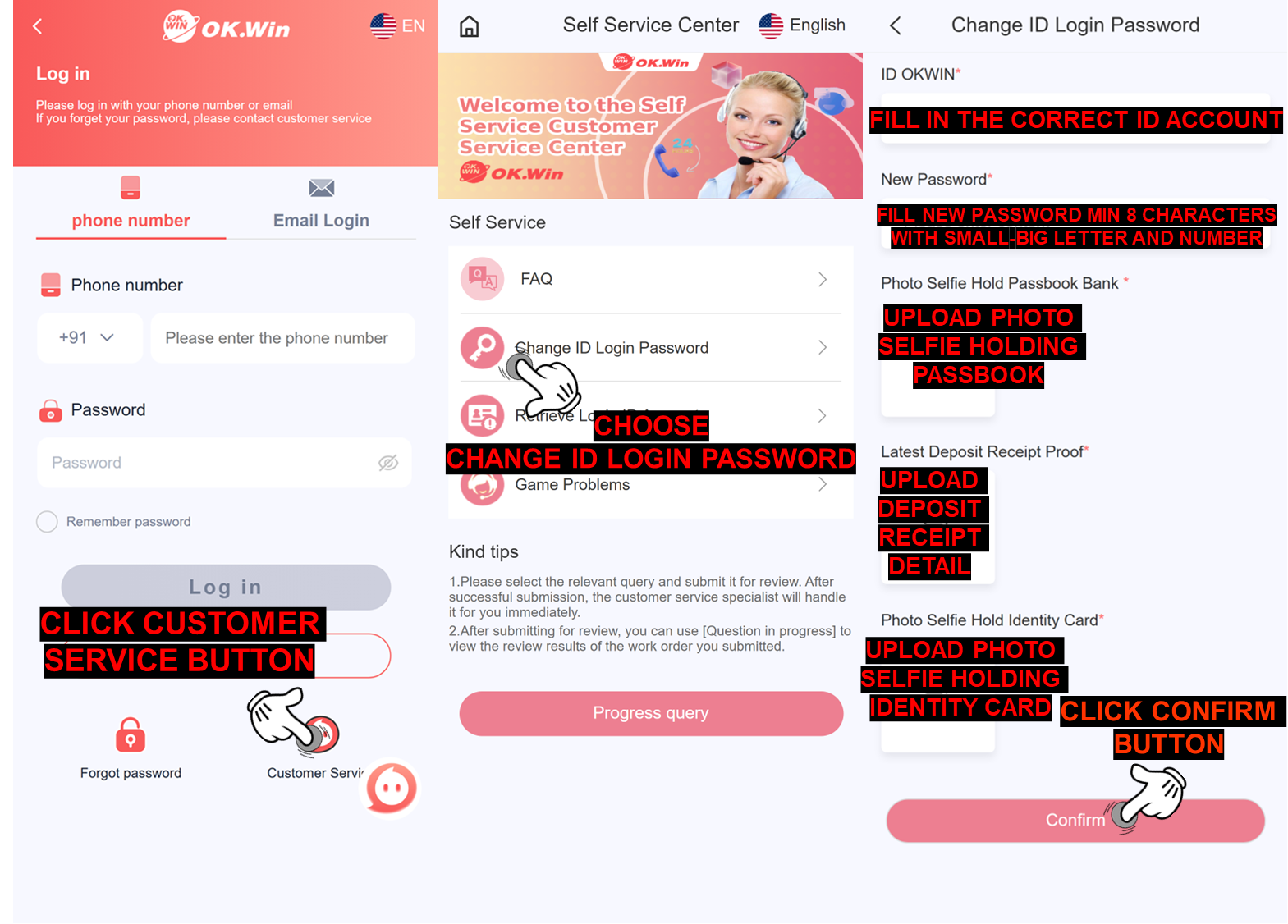
After submission, the specialist will check the information, you can check the reply status by entering the mobile phone number you submitted and the new password that our team already reset.